← All work

Fill in the Blank Generator

in use

A Chrome extension for English teachers. Highlight a text on any page and get a gap-fill worksheet with an answer key.
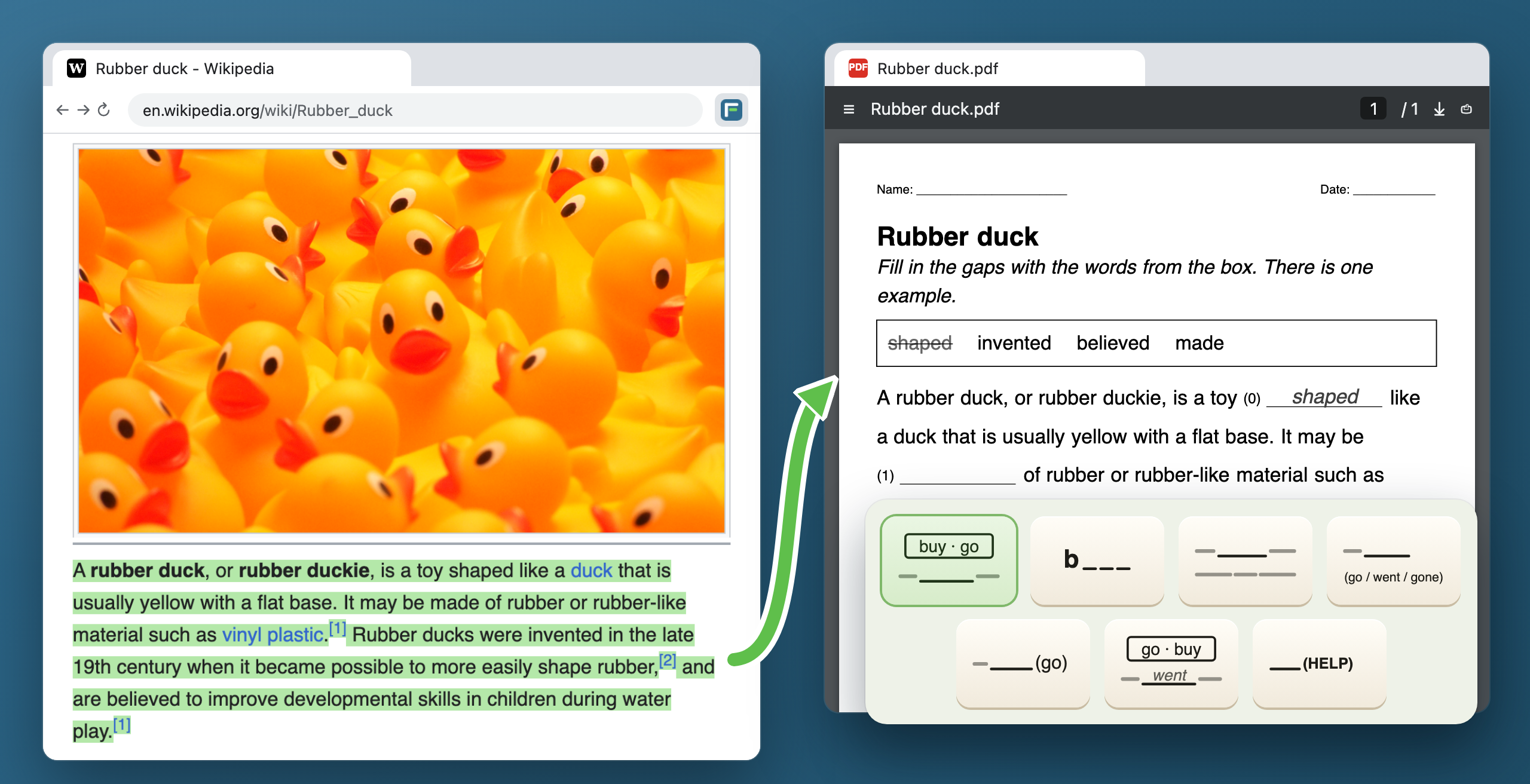
The Wikipedia article Rubber duck in Chrome with its first paragraph highlighted in green; an arrow leads to Rubber duck.pdf, a gap-fill sheet with a box of words, and below it tiles for the seven exercise kinds.
A real Wikipedia page, and the sheet the extension made from it.

Add to Chrome ↗

Three more ways in

A photo of a textbook page. Snap it with a phone, click the words to hide, get the sheet and the key.
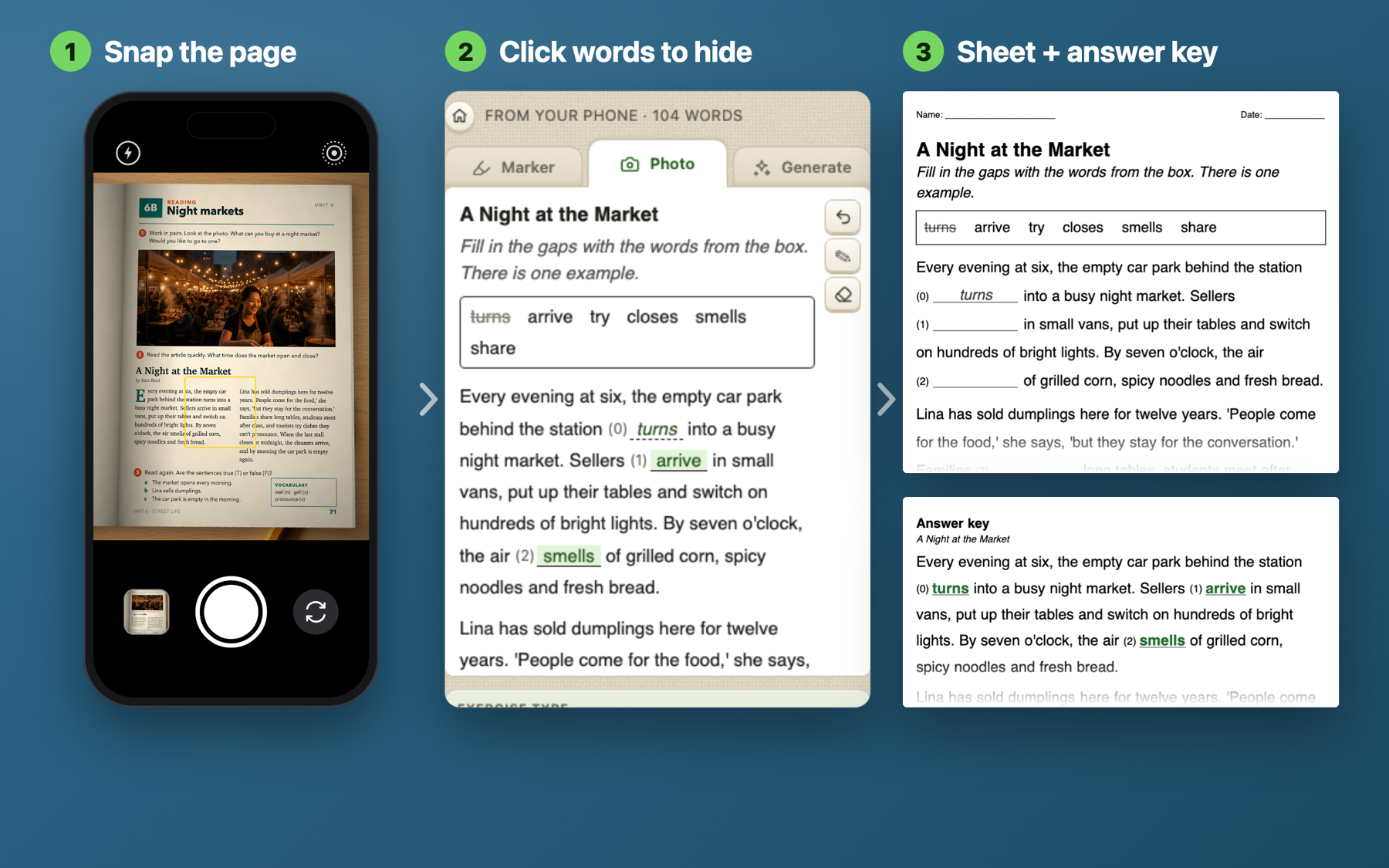
Three steps: a phone camera pointed at a textbook page, the side panel with the recognised text and hidden words, the sheet and the answer key.

A text written for the lesson. Pick the level, the age and what to practise. The text is written in about five seconds.
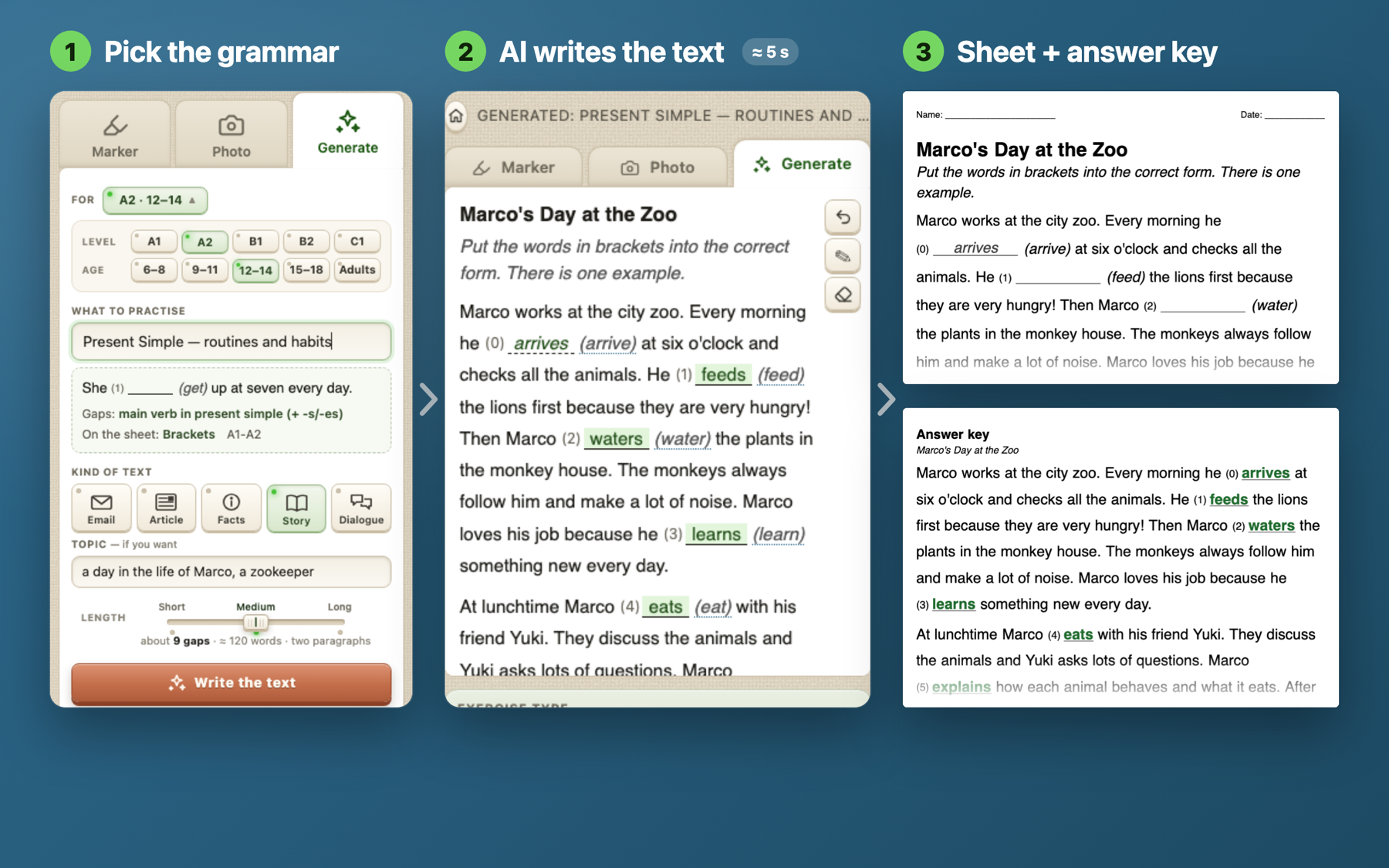
Three steps: the Generate form set to Present Simple for A2, ages 12–14; the written text with gaps; the sheet and the answer key.

No text at hand. Type a topic, and the extension finds an article on sites with free licences.
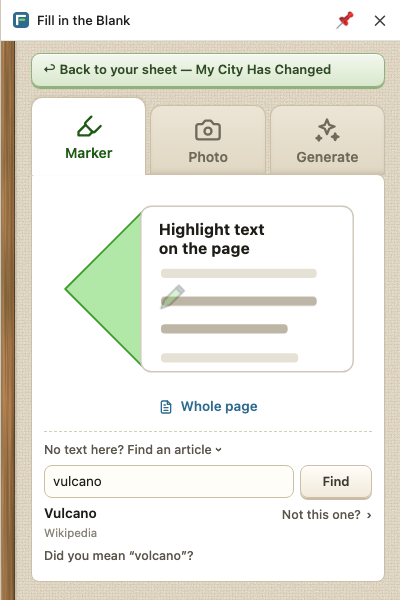
The side panel after a search for “vulcano”: the Wikipedia article Vulcano is found, with “Not this one?” and “Did you mean volcano?”.

Seven exercise kinds

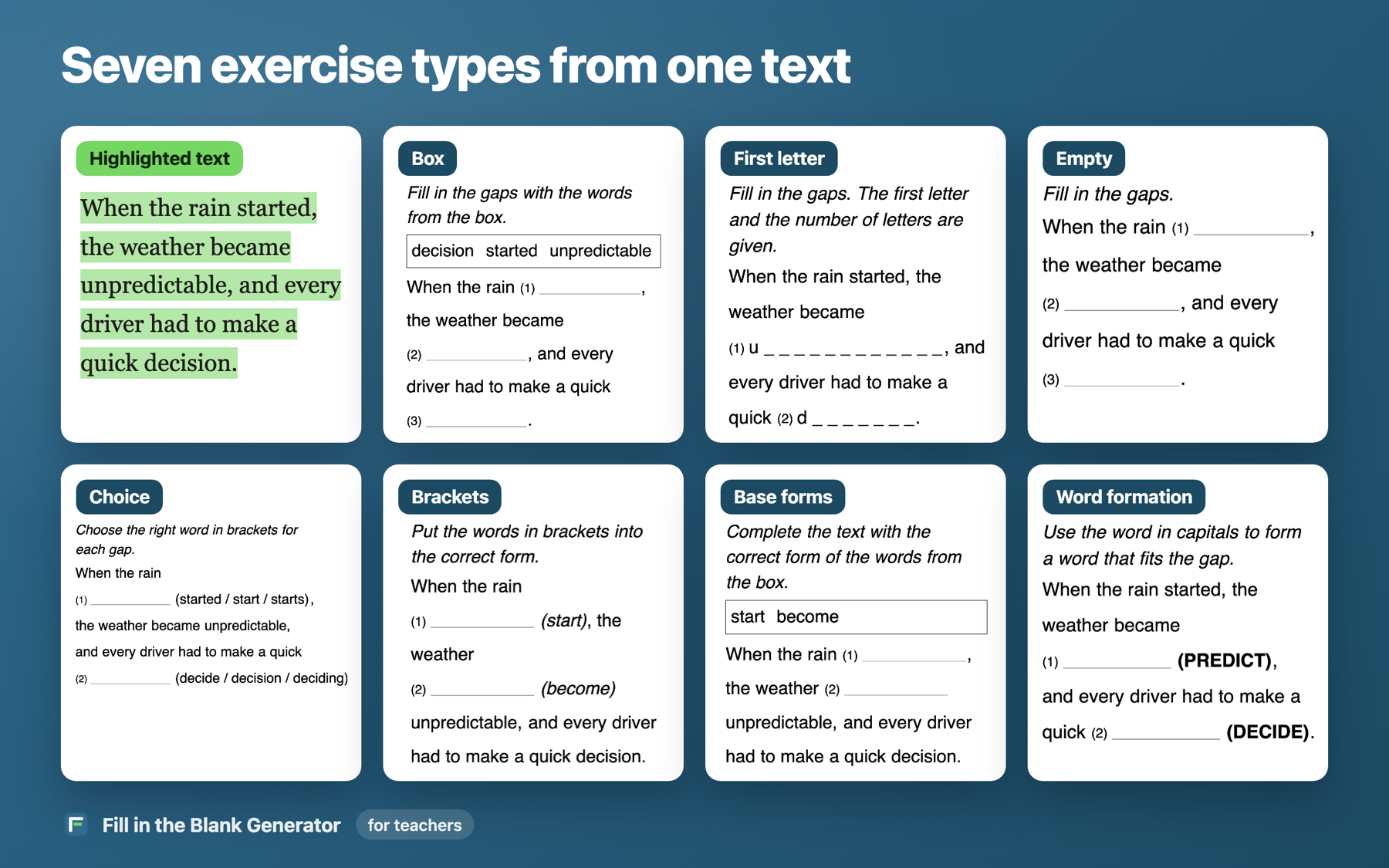
One highlighted paragraph turned into seven kinds of sheet: box, first letter, empty, choice, brackets, base forms, word formation.
Four kinds where the pupil finds the word, three where the pupil changes its form.

Three levels of one text

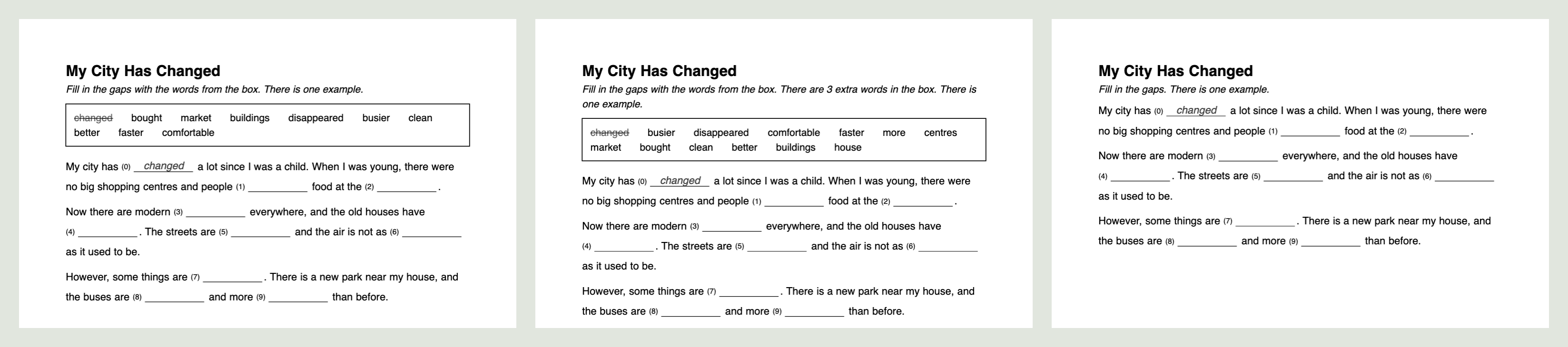
Three versions of the same sheet side by side: with a box of words, with three extra words in the box, and with no box.
For a mixed class: a box of words, a box with three extra words, no box.

The sheet and the key go out as a PDF, a Word file, a Google Doc or straight to the printer.

Add to Chrome ↗

How it is built

Word formsa dictionary of base forms from an open word list: “went” is “go”, so the brackets get “(go)”inside the extension
AIonly to read a photo and to write a text, through my own server with a daily spending caprules do the rest
SearchSimple Wikipedia · News in Levels · Wikijunior · Wikinews · Global Voices · Wikivoyage · Wikipediafree licences only
Permissionsreads a page only after its icon is clicked, so it installs without a warningmatters on school computers

Devlog

release

1.0.2: finding a text by topic.

use

The first sheet downloaded by a teacher I do not know: a screenshot of a page in, a PDF out.

release

1.0.0 in the Chrome Web Store.

method

Exercise kinds grouped by what the pupil does: find the word, or change its form.

start

Started from one gesture: highlight with a marker, get a sheet.